3. Account Selection and Personal Details
You must select your account type and provide necessary personal information.
3.1. Choose the account type: Select either Personal or Business.
3.2. Based on this selection, the system will ask you to fill in the required fields.
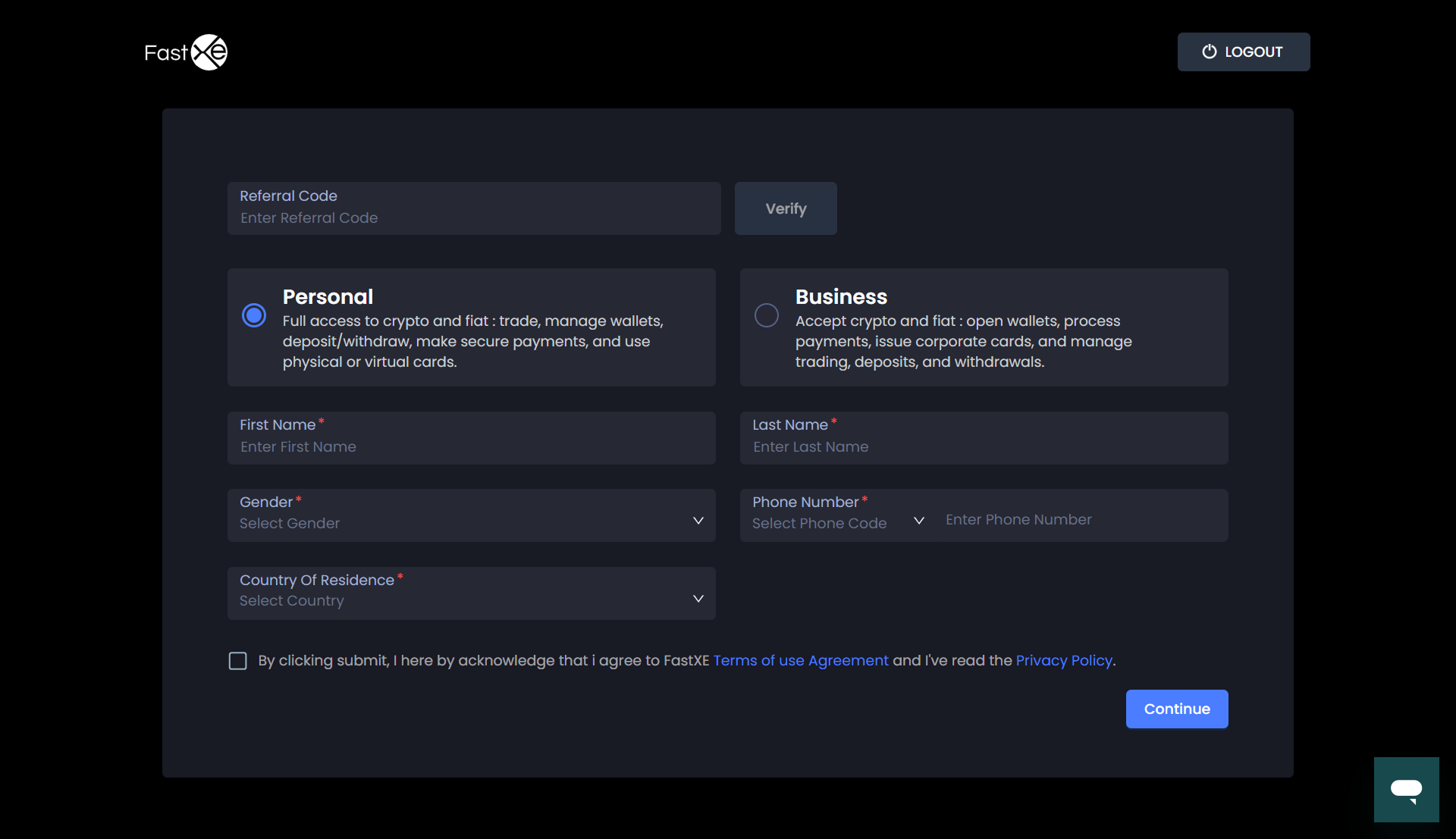
3.3. For Personal Accounts, provide the following details
3.3.1. First Name
3.3.2. Last Name
3.3.3. Gender
3.3.4. Phone Number
3.3.5. Country of Residence
3.4. Referral Code (Optional): If you have a referral code (e.g., from a TA consultation service), you can use it here. If you perform any transactions (like deposits or withdrawals), the referring customer will automatically receive a bonus.
3.5. Phone Number Validation: The number entered for the phone number must be the exact number and in the correct format; otherwise, the system will reject it (e.g., showing "phone number is invalid").
3.6. Click on Continue.
3.7. The system will ask you to login again.