4. Adding a Payee (Withdrawal Preparation)
4.1 Initiate Payee Addition
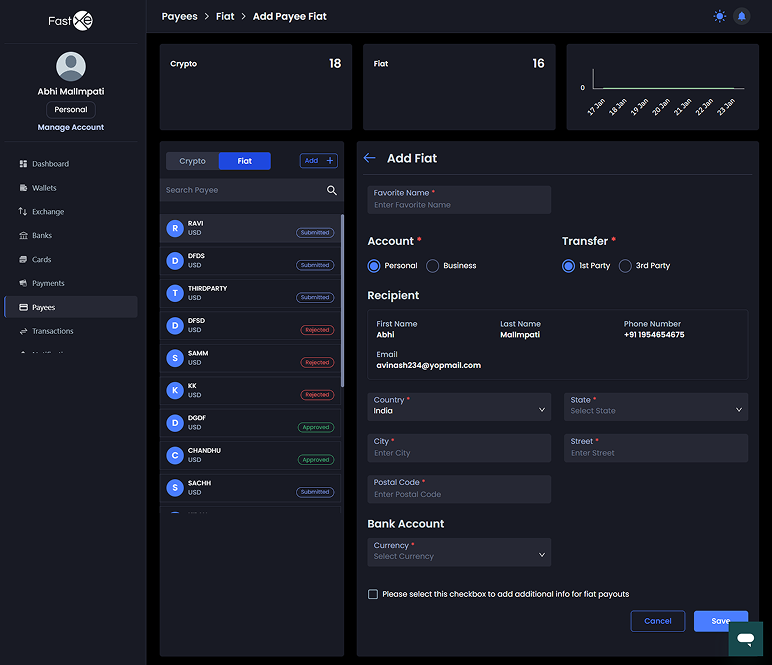
Click on "add" and then "I add".
4.2 Enter Payee Details
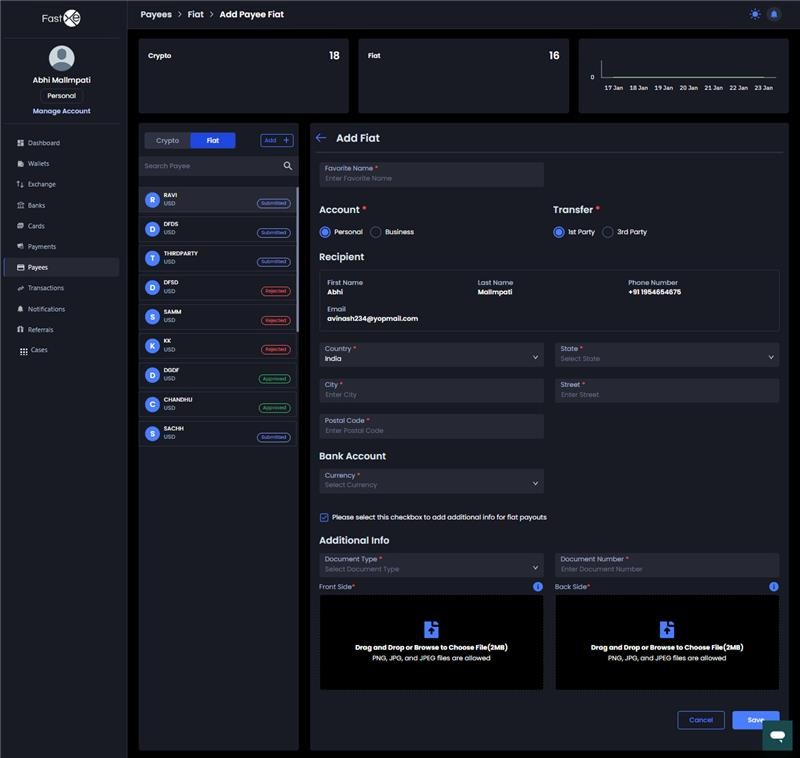
The system typically only allows for the first party. Your details will show automatically. Provide the following:
4.2.1 First name, country, and currency (e.g., USD).
4.2.2 USD account number, bank type, routing number, and SWIFT code.
4.2.3 Bank country (e.g., states), bank name, branch code, address, city, and postal code.
4.2.4 Your passport and documentation number.
4.3 Save and Admin Approval
4.3.1 Click "save".
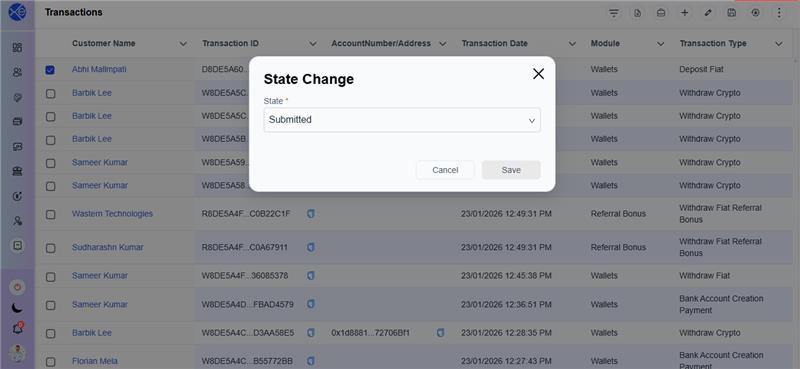
4.3.2 The Admin must approve the payee by navigating to "pays," selecting the customer, and choosing "approve".
4.3.3 You will receive a notification; refresh the screen to see the approved account.
4.4 Cooling Period
Note that the payee is subject to a 10-minute cooling period before they are available for transactions.