2. Account Approval Process and Status
2.1 Initial Approval Wait Time (User Side)
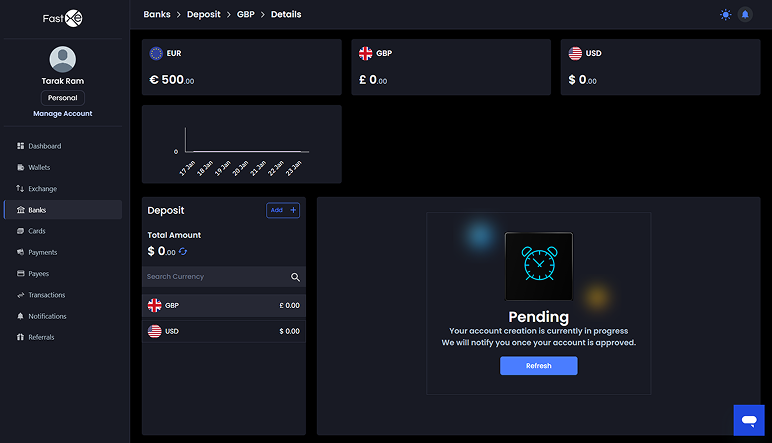
2.1.1 Account approval typically takes one or two minutes. 2.1.2 You can click the refresh button after approximately 3 to 5 minutes.
2.2 Admin Review and Approval
2.2.1 The Admin reviews submitted details such as personal information and IP address.
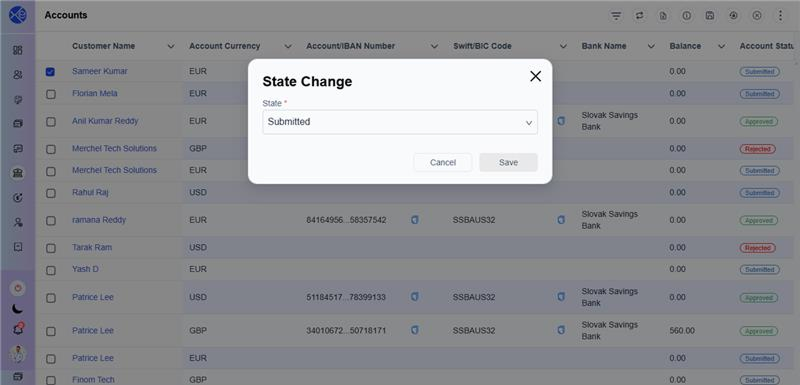
2.2.2 The Admin must go to the accounts level and select the customer.
2.2.3 The Admin changes the status from pending to approved. The Admin has the option to reject the account.
2.3 Provider Verification
2.3.1 Once the Admin approves the status, the details are submitted to the provider.
2.3.2 The provider then performs verification and will approve or reject the account.
2.4 Final Status and Details
2.4.1 The account status will automatically change to pending and then approved once the response is received from the provider. This process can take 4 to 5 minutes or more.
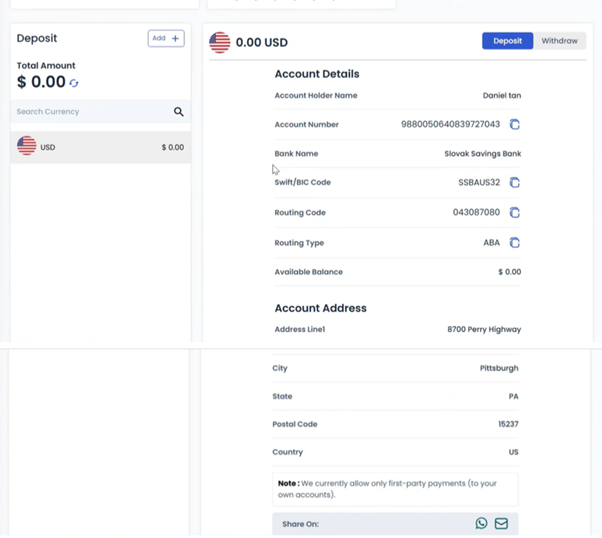
2.4.2 Once the account is approved, you will receive full bank details, including the account number, account holder name, bank name, SWIFT code, routing number, and account address.
2.4.3 These details can be shared via WhatsApp or email.