Pay Out
Pay Out is used for transferring funds, often involving conversion from cryptocurrency to fiat, or fiat to fiat.
2.1 Pre-requisite: Add a Payee
Before initiating any Pay Out, the recipient (Payee) must be added and approved by the Admin.
-
Access Payee Section: Navigate to the Payee section (usually under Payments or Wallets).
-
Add Payee: Click Add Payee.
-
Enter Details: Provide the recipient's details, including the Favorite Name and specifying whether the recipient is the First Party (your own account) or a Third Party.
-
Bank Information: Enter the recipient's bank details, including the currency, bank country, account type, IBAN, bank name, and address.
-
UBO/Corporation Details: Enter relevant corporate details (e.g., registration number) if applicable.
-
Save: Click Save.
-
Cooling Period and Approval: After the payee is created, there is a 10-minute cooling period before they are ready for transactions. The Admin must verify and Approve the payee details (State Change) before the cooling period begins.
2.2 Pay Out Crypto to Fiat Conversion
This process converts your crypto assets into fiat currency for the recipient.
-
Access Pay Out: Navigate to the Payments module and select the Pay Out section.
-
Initiate Transaction: Click Add.
-
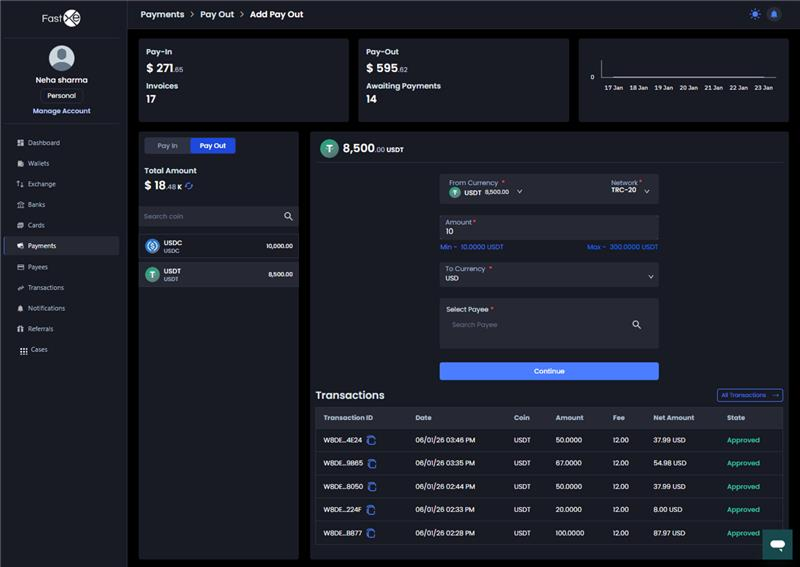
Select Source Crypto: Choose the crypto Coin (e.g., USDC) and the Network (e.g., TRC) you intend to send.
-
Select Payee: Choose the pre-approved Payee from the list.
-
Enter Amount: Enter the Amount of crypto to be sent (e.g., minimum 20 USDC).
-
Review Summary: Click Continue to view the transaction summary. This screen details the source crypto amount, any fee charged, and the final received fiat amount.
a. Note on Fees: The fee is typically deducted from the amount sent, but the system can be configured so that the receiver gets the full intended amount and the fee is charged separately to the sender.
Payout Summary showing transfer amount, fee, and received fiat
- Verification: Complete the required security verification (e.g., enter the OTP received via email or phone).
- Confirm Transaction: Click Confirm. If currency conversion is involved, confirm within the specified timer to ensure the exchange rate is locked.
- Status and Approval: The transaction will initially be in a Pending state. It requires Admin approval before the payment is executed to the end user.
2.3 Pay Out Fiat Conversion
This process is used to send fiat currency (e.g., IDR balance obtained via Pay In Fiat) and potentially convert it to another currency (e.g., USD) for the recipient.
- Access Pay Out Fiat: Select the Pay Out option relevant to fiat currency.
- Select Source and Destination: Select the source fiat currency (e.g., IDR) and the currency the payee will receive (e.g., USD).
- Select Payee: Choose the pre-approved Payee who will receive the funds.
- Conversion: The system converts the source fiat amount into the equivalent destination currency using a third-party exchange provider.
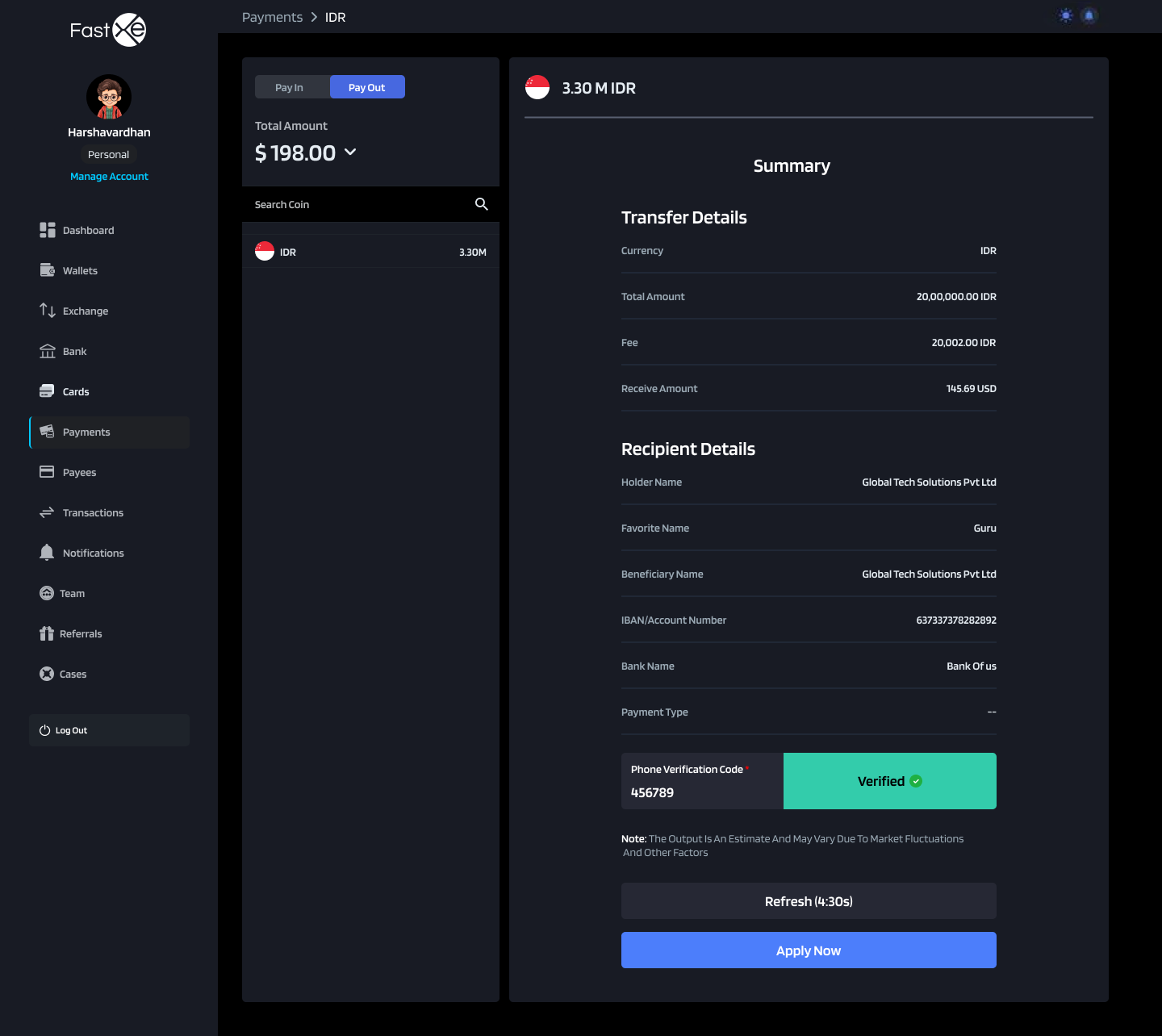
- Review and Confirm: Review the commission and the final amount the payee will receive.
Review the summary
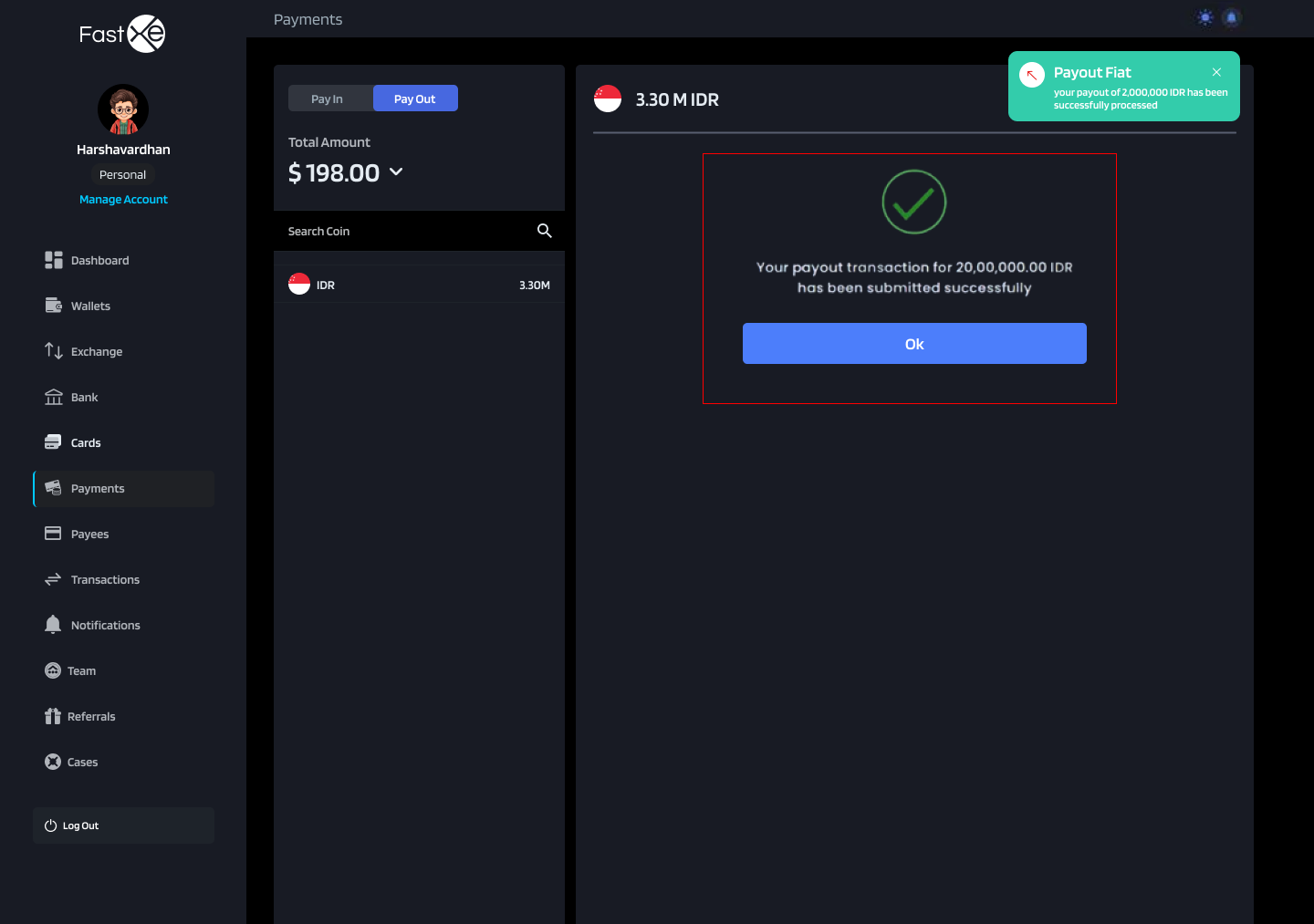
- Admin Approval: The transaction will be set to Pending and requires Admin approval before the payment is processed.